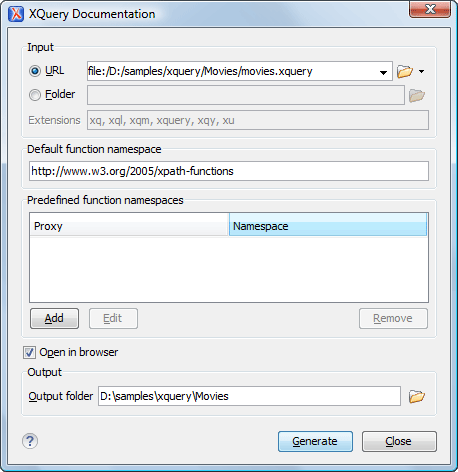
XQuery Editor
XQuery is intended for labeling information extracted from multiple structured sources, such as XML documents, object repositories, and databases.
XQuery Outline View
The Outline view displays the list of all components (namespace declarations, variables, and functions) from the imported modules, along with the components declared in the current file. Components can be sorted by name and grouped by type, location, or namespace.
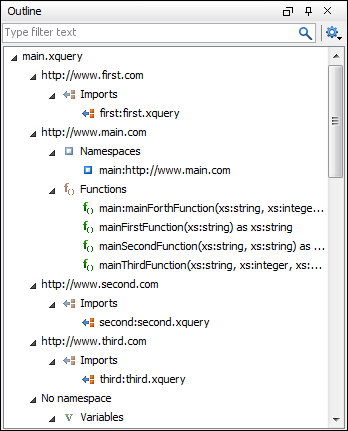
The 'filter text' field allows you to quickly find a component by its name, or to only display the components matching the search expression in the tree.
Content Completion Assistant Offers XQuery Functions, Including XML Database Extensions
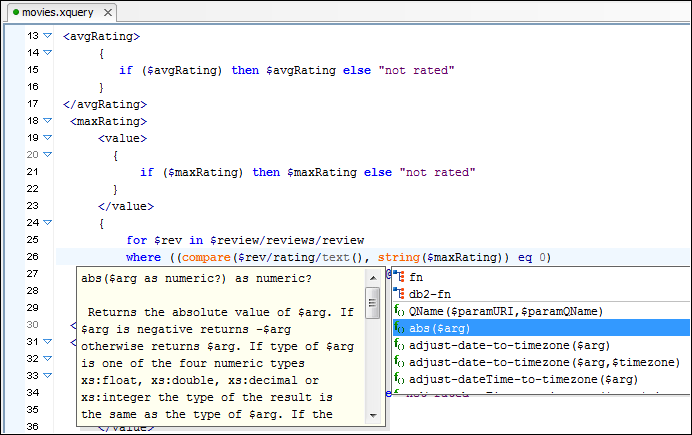
The Content Completion Assistant is triggered by the CTRL+SPACE shortcut at any point in the expression. It shows the list of all the available XQuery functions and keywords.
For all the supported XML database engines (eXist, MarkLogic, Tiger Logic, Oracle, SQL Server, etc.), the Content Completion Assistant displays both the XQuery standard functions and the extension functions available for that engine.
Each of the extension functions are displayed, along with their documentation, thus the relevant information is readily available.
Content Completion Assistant Offers the List of Components from Imported XQuery Modules
The Content Completion Assistant offers variables and functions from the edited file and also from the imported XQuery modules.
Modifications in other modules trigger the list of collected components to be automatically updated.
Transformation Scenarios
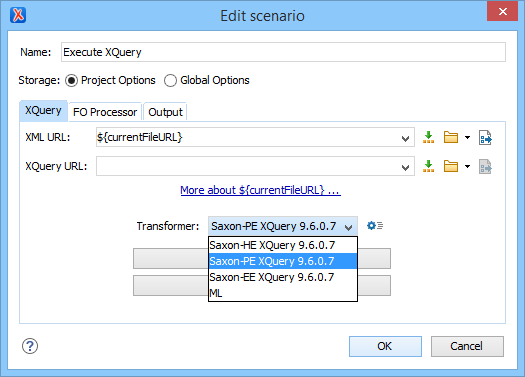
XQueries are similar to the XSLT stylesheets in the sense that they are both capable of transforming an XML input into another format. You can define transformation scenarios that specify the input URL, preview mode, XML or XHTML. The results can be saved and opened in the associated application. You can even run an FO processor on the output of an XQuery.
The transformation scenarios may be shared amongst many XQuery files and are exported at the same time as the XSLT scenarios.
XQuery Input View
When editing an XQuery file, Oxygen detects the documents used as inputs and displays a simplified outline for each one. The Input view can analyze documents that are stored on the local file system.
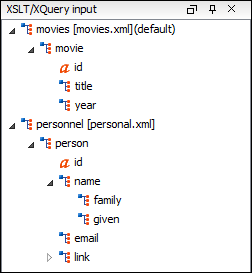
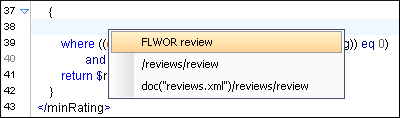
You can use the drag-and-drop triggered pop-up menu to easily create XQuery FLWOR constructs or XPath expressions.
If you have a transformation scenario for the XQuery file and you specify an input XML file, it will also be added to the displayed input trees.
Saxon EE Can be Used as XQuery Processor
The Saxon EE (Schema Aware) that is bundled with Oxygen can be used as an XQuery processor.
XQuery Validation and Execution
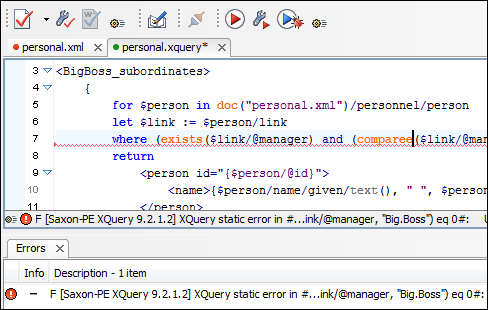
For XQuery, Oxygen uses the Saxon EE processor that is bundled with Oxygen. This conforms to the XQuery Working Draft http://www.w3.org/TR/xquery/. The processor is used in two cases, validation and execution of the XQuery document. Although the execution implies a validation, it is faster to check the expression and make sure it is valid before executing it.
XQuery Update
Using the bundled Saxon EE XSLT processor, Oxygen offers support for XQuery Update 1.0. Aside from querying XML documents, you can modify them using the various insert/delete/modify/create methods available in the XQuery Update 1.0 standard.
You can simply choose Saxon EE as a transformer in the scenario associated with XQuery files containing update statements and Oxygen will notify you if the update was successful.