XML Schema (XSD) Editor
The Oxygen XML Schema editor offers powerful content completion support, a quick assist tool that is always ready to provide hints, a Components Presenter view, and multiple refactoring actions.
W3C XML Schema documents can be edited and validated with Oxygen. The Quick Assist feature improves the development work flow by offering quick access to the most commonly used actions during development of XML Schemas.
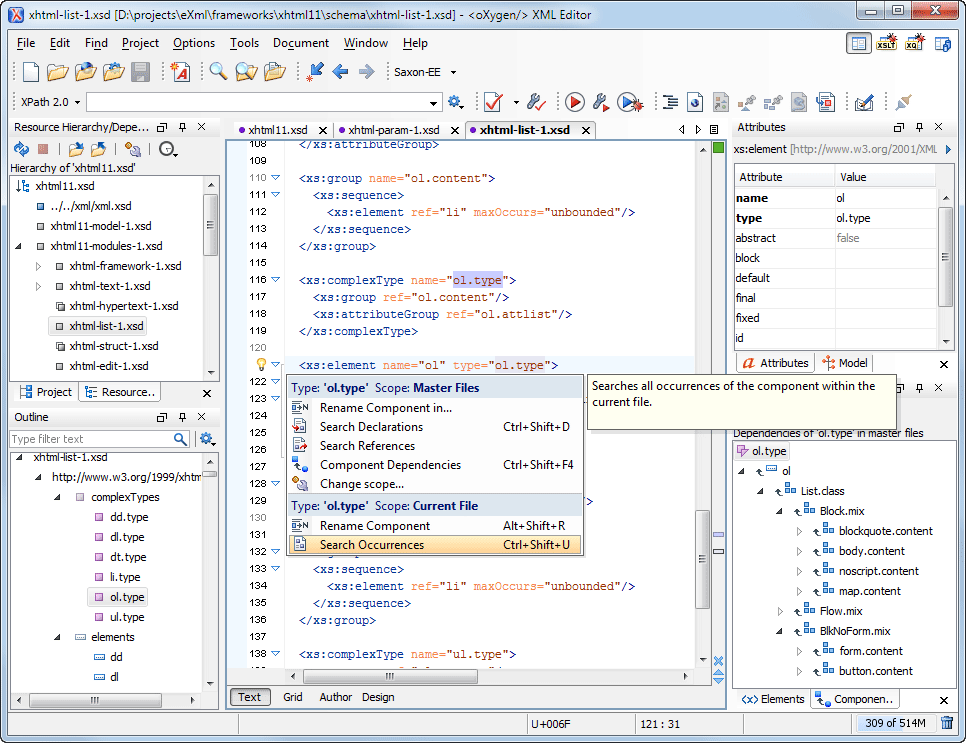
Easy Identification of XML Schema Component References
All the occurrences of an XML Schema component are highlighted in the text when you place the cursor near the component name.
The occurrences bar from the right side of the editor displays a summary of the component references in the XML Schema file.
The component declaration is rendered with a darker color to make it easier to spot.
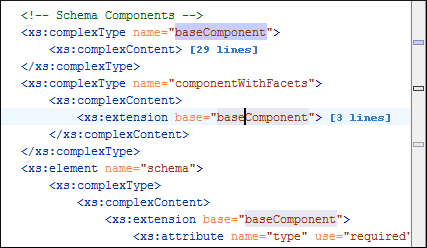
Content Completion Assistant Offers the List of Components from Included/Imported XML Schemas
XML Schema editing is simple with Oxygen, since you can insert references to components from other XML Schema files and you are assisted by the Content Completion Assistant. Oxygen automatically detects the modified included/imported schemas and adjusts the list of proposals in the Content Completion Assistant.
Rename Component Schema Refactoring Action
This action allows you to rename any schema component (element, type, group, named pattern, etc.) The scope can be set to the current file, all the files in project, or the set of files determined by include/import instructions starting with a specified file.
The rename refactoring support is available for both XML Schema and Relax NG schemas.
A preview option allows you to review and approve the changes that will be made on multiple schemas. The changes are presented in a side-by-side synchronized view that compares the initial version with the result after applying the refactoring action.
Find References and Declarations of XML Schema Components
You can find declarations or references of XML Schema components. The search scope can be the current file, the current project, or a group of files.
Content Completion Assistant Shows the Schema Documentation
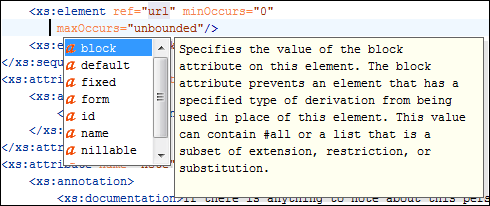
When you are editing an XML schema, Oxygen helps you with a schema-driven Content Completion Assistant that also displays documentation for the element and attribute proposals.
Custom Schema for XML Schema Annotations
XML Schemas contain annotations for providing additional information, such as documentation or application-specific information. For instance, a schema might contain documentation for its components in XHTML or Schematron embedded rules. You can specify a schema for these annotations and Oxygen will use that for providing content completion proposals.
Schema Model View
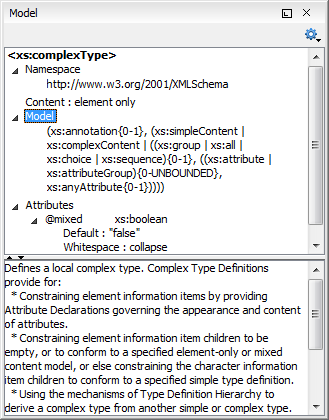
The Model view provides schema-related information for the document elements and attributes. The content model, element type, attributes, attribute type, and constraints are presented in a compact manner, giving you the insight of the document schema while editing or browsing the document.
Flatten an XML Schema
Sometimes it is useful to aggregate the set of files that compose an XML Schema into a single file. The Flatten Schema refactoring action allows you to do this. The action also handles xs:redefine elements by assigning a unique name to each redefined type or group.
Visual Schema Text Editor
Oxygen offers a side-by-side presentation of the schema source and diagram. The diagram is synchronized in real time with the source editor. Selecting an element in the diagram highlights the corresponding element in the source editor, while moving the cursor in the source editor changes the selection in the diagram view.
The schema diagram renders all the XML Schema components and allows you to quickly navigate to the referenced definitions (elements, attributes, types, groups, etc.)
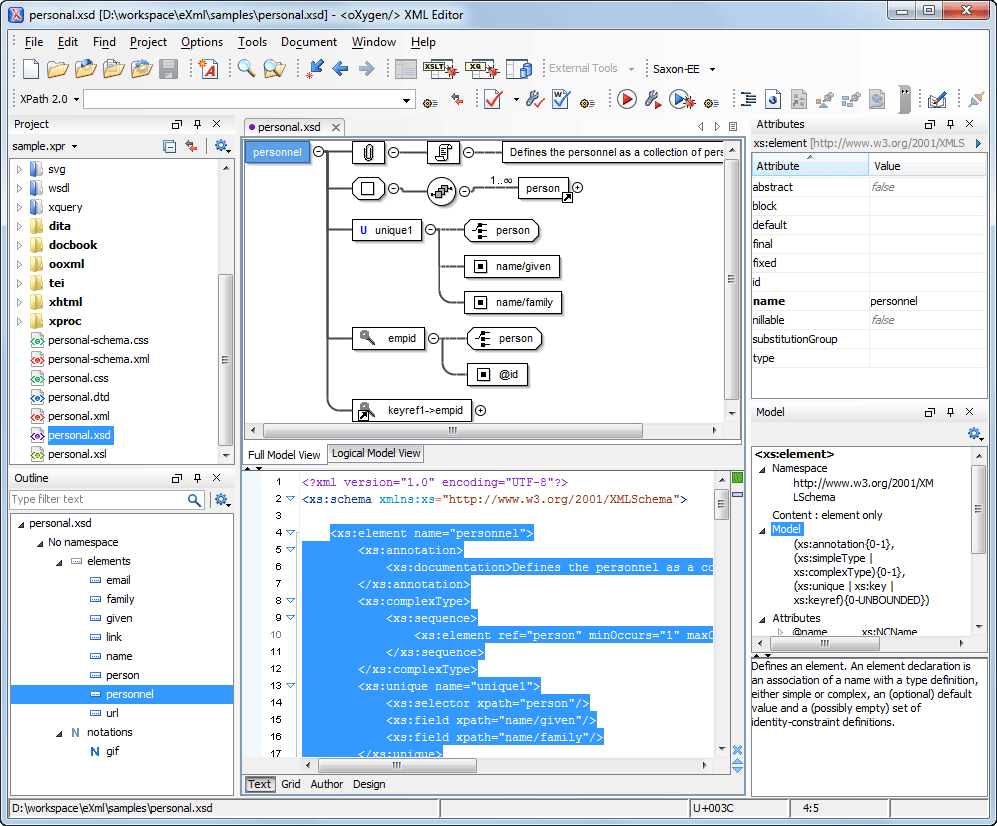
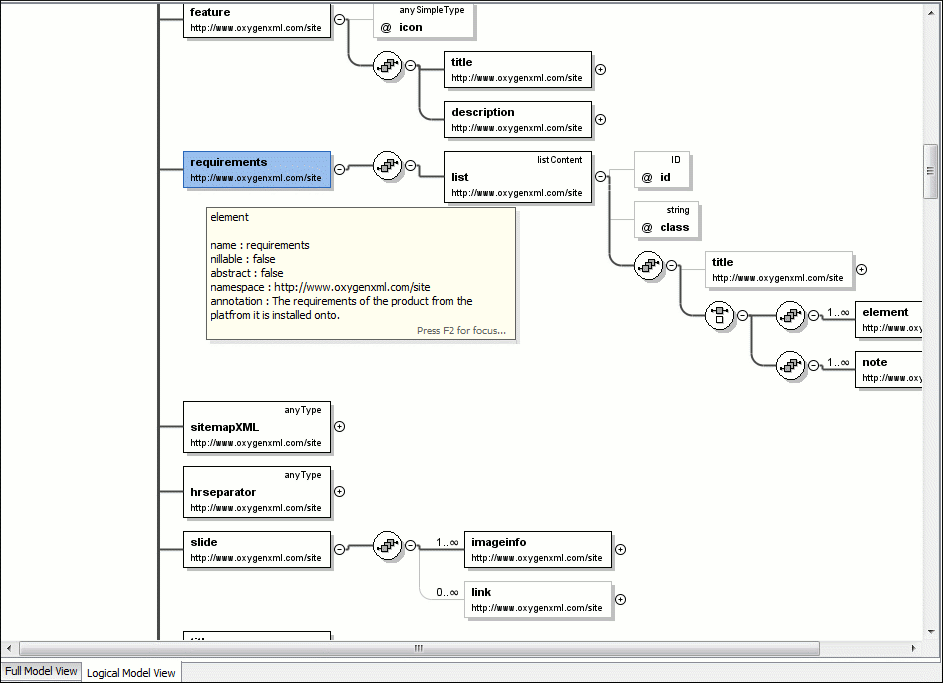
Two types of visual diagrams are available for a schema:
- Full Model View
The Full Model view provides a one-to-one correspondence between the schema components and the graphical nodes. References to the components can be expanded in-place within the diagram (element or attribute references, or base types). Editing actions are available on the Full Model view, allowing the addition of new child or sibling elements on the fly so that the schema remains valid.
- Logical Model View
The Logical Model view displays a more compact diagram obtained by resolving the references, type extensions and restrictions, or redefinitions.
A list with the defined schema components (elements, attributes, simple and complex types, groups, and attribute groups) presented in the Outline view simplifies the navigation through large schemas.
The smooth editing and the clear and suggestive rendering make schema editing easier than ever.
The Visual Schema Editor is integrated in the Oxygen standalone distribution and the Eclipse IDE plugin. It is activated when opening an XSD (XML Schema) file.
The diagrams can be made smaller or larger, depending on the zoom settings of the font size. These settings are taken into account when the diagram is printed.
Converting Between Grammar Languages
The Generate/Convert Schema tool allows you to convert a DTD or Relax NG (full or compact syntax) grammar, or a set of XML files, to an equivalent XML Schema, DTD, or Relax NG (full or compact syntax) grammar. Where exact equivalence is not possible due to limitations of the target language, Oxygen generates an approximation of the source grammar.
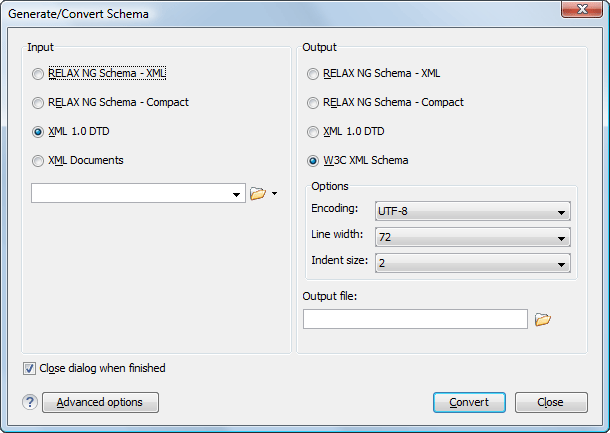
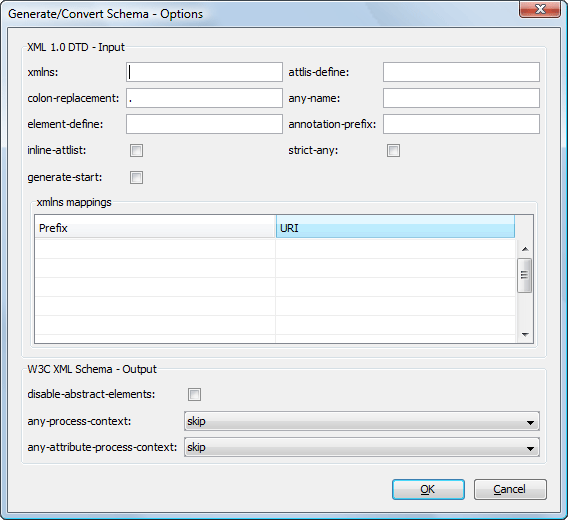
Advanced options allow the user to customize various conversion parameters.
XML Schema Regular Expressions Builder
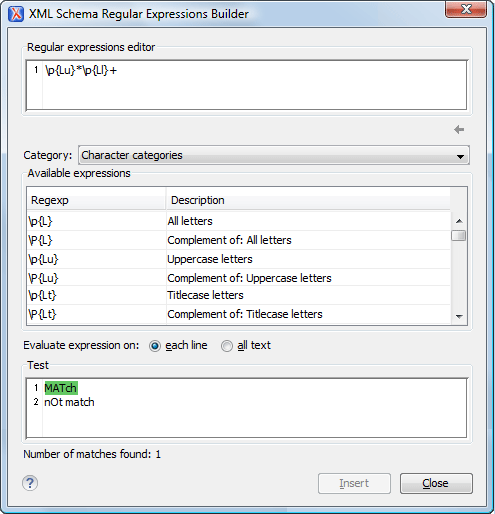
The Regular Expressions Builder helps you construct and test regular expressions that are allowed in XML Schema restriction patterns.
Oxygen provides a set of regular expression patterns organized in categories, and a test area for checking the instances accepted by the expression. The Content Completion Assistant provides an additional level of support when editing in the regular expressions editor.