Visual XHTML Editor
Two Editing Modes
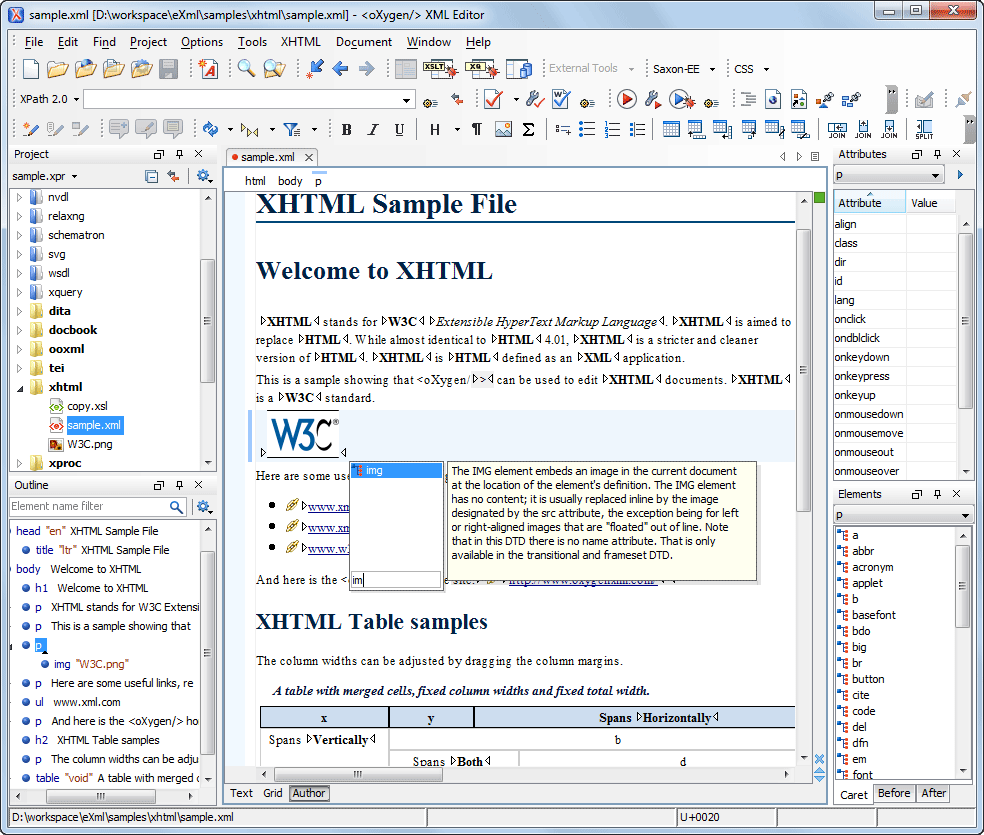
Oxygen XML Editor offers two modes for editing the XHTML files. The Author mode that is a visual editor, and the Text mode that is an XML source editor.
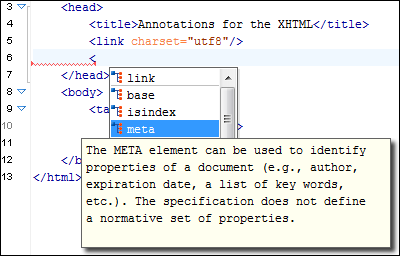
You can edit XHTML files using the Text (source) editing mode in Oxygen and the as-you-type validation and powerful Content Completion Assistant are always available to help you.
XHTML Ready
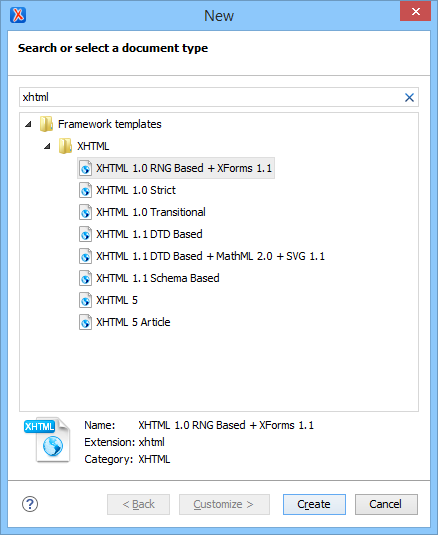
Oxygen includes XHTML catalog and document templates so that you can start creating XHTML documents right away. A ready-to-use sample is also provided in the samples project, giving you a head start when working with XHTML. You can also easily create new XHTML document templates from the editor content and publish them to share with other users.
Remote Editing
Oxygen XML Editor has built-in support for editing documents that are stored on remote servers through FTP, SFTP, and WebDAV protocols, making it ideal for editing XHTML/HTML pages from your web server.
Import HTML Documents as XHTML
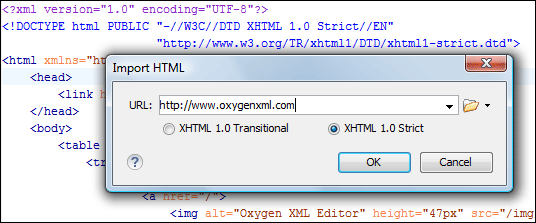
HTML documents can be imported and converted to XML, allowing you to benefit from the XML support (XPath queries and XSLT transformations, for instance). During this process, you can also associate an XHTML DTD (transitional or strict) to be used for validation.
Copy-and-Paste from Office/Web Applications
Styled content can be inserted by copying content from Office applications (Microsoft Word, Microsoft Excel, OpenOffice.org Writer, OpenOffice.org Calc) and Web browsers (Mozilla Firefox, Microsoft Internet Explorer, Google Chrome), and pasting it in the XHTML editor. The styles and general layout of the copied content (sections with headings, tables, list items, bold and italic text, hyperlinks, etc.) are preserved as equivalent XHTML XML elements by the paste operation.
Discontinuous Selection
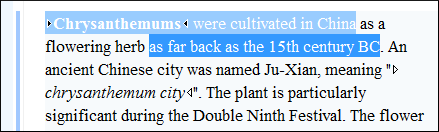
You can select multiple text ranges (discontinuous selections) or multiple elements in the Author mode for cut/copy/paste actions.
Change Tracking
Change tracking is a way to keep a history of the changes made to a document. When change tracking is enabled, inserted and deleted content is highlighted in the document, allowing you to easily identify the affected regions. Tracked changes can be rendered in callouts (balloons) displayed at the side of the document with connecting lines pointing to the changed content.

Oxygen also has some advanced change tracking features. It keeps a record of the changes made to attribute values, element breaks (splits), and also renders changes from re-used content (such as DITA content reference, XInclude modules, or external entities).
Multiple Authors Support
Oxygen supports changes from multiple authors, rendering each author's changes with different colors.
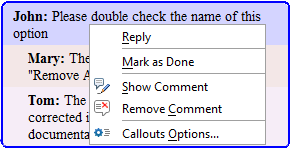
For each change, Oxygen stores the author and the date when that change was performed. The name of the author who is currently making changes and the colors can be customized from the Callouts preferences page. You can also add comments to the changes, reply to comments, or mark them as being done.
In this screenshot, you can see how various insert and delete changes made by various authors are displayed (note that the option to display changes as callouts is enabled).
Change Management
You can review the changes made by you or other authors and then accept or reject them using actions in the contextual menu, on the toolbar, or from the Review panel.
Review Comments
When you annotate your XML documents, the comments are displayed in the Author mode as side callouts (balloons), and they also show additional information such as the author and the comment time.
The comment support is not limited to a particular document type (DocBook or DITA, for instance). You can use it on any document that is opened in the Author editing mode. The comment data is stored in the XML document as processing instructions, so it will not interfere with your XML tool chain.
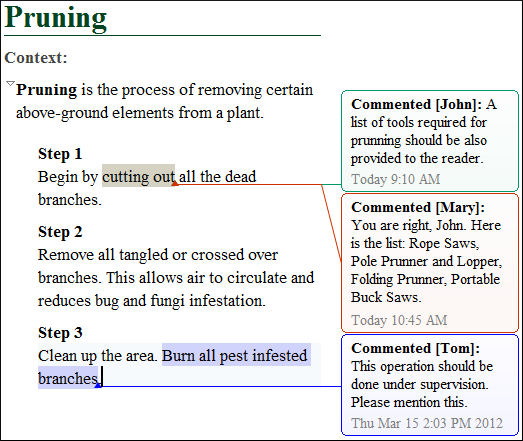
You can access comment actions from the application toolbar and from the contextual menu. These include actions to add, edit, and remove comments. Once a comment exists, you can also reply to that comment or mark it as being done. This is useful for collaborating with other members of your team.