Visual DocBook Editor
With Oxygen, you can edit Docbook 4 and Docbook 5 documents (including 5.1)
in a user-friendly and productive manner. The publishing tool includes transformation
scenarios for producing WebHelp, EPUB, PDF, or plain HTML.
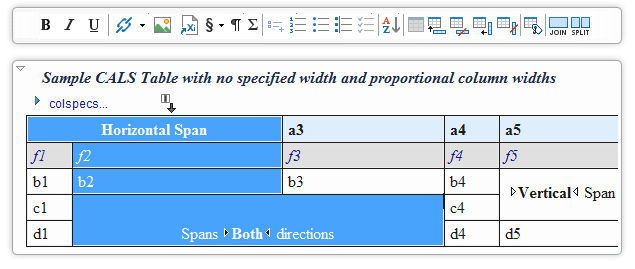
- DocBook EditingOxygen includes DocBook DTDs, XML catalog, XSL stylesheets, and document templates that allow you to immediately start creating DocBook documents in an interface similar to a word processor (WYSIWYG). DocBook documents can be converted to HTML, PDF, or PostScript and supports intelligent XML editing, validation, and content completion assistance.read more
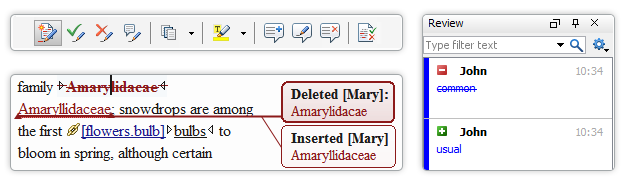
- Content Review and Change TrackingCollaboration is a key to success for up-to-date and top quality documentation. Using Oxygen, authors and reviewers can work together seamlessly, adding comments, seeing each others changes, and searching reviews.read more
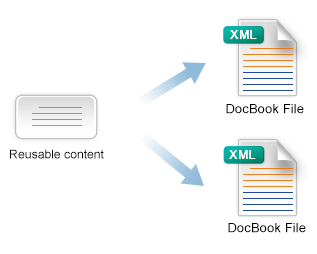
- Content Re-Use and ProfilingThe ability to re-use the same content in multiple documents and to apply conditional profiling are important features for content authors. Oxygen also allows you to create XInclude content references and define profiling condition sets.read more
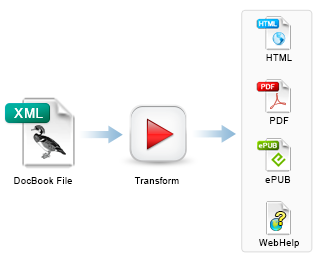 Single-Source DocBook PublishingWith Oxygen, you can transform your DocBook documents into multiple common formats (HTML, EPUB, PDF), or even into a feedback-enabled or mobile-friendly WebHelp system. Writing and publishing documents in DocBook is now a simple task.read more